Beckhoff ADS connection
Description
The Beckhoff ADS connection holds all necessary configuration properties to connect to the Beckhoff TwinCAT.
For using Beckhoff ADS adapters you need to put the AdsToJava-3.dll in a folder and start the Orchestra applications with this argument -Djava.library.path=<Path to the DLL folder> .
Configuration
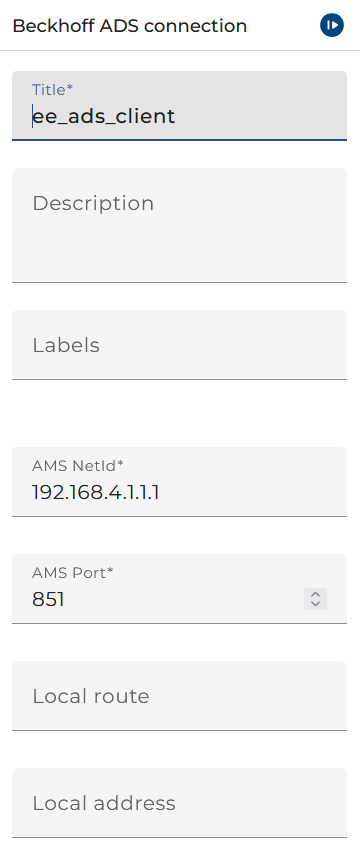
The dialog to configure the Beckhoff ADS connection looks like:
 |
|---|
| Base view of the Beckhoff ADS Connection |
-
The AMS NetId of a TwinCAT-PC. By default, the TwinCAT installation constructs the AMS NetId from the TCP/IP address of the PC with an extension of ".1.1" (as if it were a "subnet mask" for field buses, target bus controllers,.).
-
The AMS Port of your TwinCAT. By default, it is 851.
The following two properties are only required if your Orchestra is running on Linux. Because TwinCAT ADS on Linux has no ADS router the two properties need to be set extra.
-
The Local route is the IP address of the AMS NetId. This property is needed to tell the AdsLib which IP address is associated with the AMS NetId.
-
The Local address is AMS NetId you of the ADS client. Set this property if automatic AMS NetId deduction is not working as expected.
Routing
If you want to establish a connection through a route to a TwinCAT that is running on another PC you need to install TwinCAT ADS on the PC where Orchestra is running because you need to AMS Router. You need to add the route from your PC to the TwinCAT PC in the AMS Router.